


Page 56 - JavaScript
P. 56
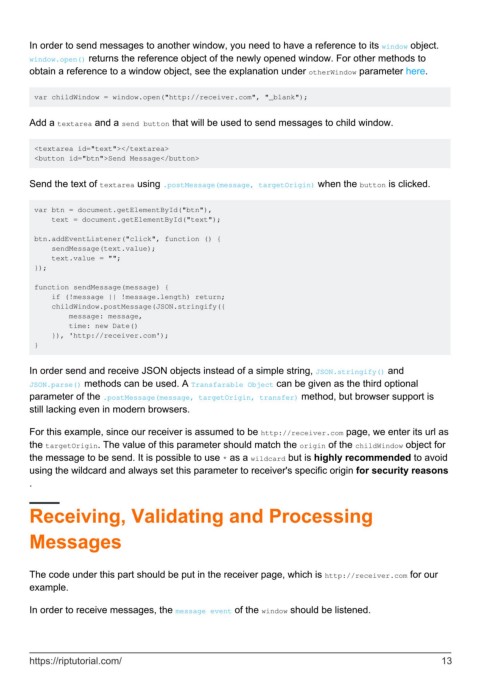
In order to send messages to another window, you need to have a reference to its window object.
        window.open() returns the reference object of the newly opened window. For other methods to
        obtain a reference to a window object, see the explanation under otherWindow parameter here.


         var childWindow = window.open("http://receiver.com", "_blank");


        Add a textarea and a send button that will be used to send messages to child window.


         <textarea id="text"></textarea>
         <button id="btn">Send Message</button>


        Send the text of textarea using .postMessage(message, targetOrigin) when the button is clicked.


         var btn = document.getElementById("btn"),
             text = document.getElementById("text");

         btn.addEventListener("click", function () {
             sendMessage(text.value);
             text.value = "";
         });

         function sendMessage(message) {
             if (!message || !message.length) return;
             childWindow.postMessage(JSON.stringify({
                 message: message,
                 time: new Date()
             }), 'http://receiver.com');
         }


        In order send and receive JSON objects instead of a simple string, JSON.stringify() and
        JSON.parse() methods can be used. A Transfarable Object can be given as the third optional
        parameter of the .postMessage(message, targetOrigin, transfer) method, but browser support is
        still lacking even in modern browsers.

        For this example, since our receiver is assumed to be http://receiver.com page, we enter its url as
        the targetOrigin. The value of this parameter should match the origin of the childWindow object for
        the message to be send. It is possible to use * as a wildcard but is highly recommended to avoid
        using the wildcard and always set this parameter to receiver's specific origin for security reasons
        .


        Receiving, Validating and Processing


        Messages


        The code under this part should be put in the receiver page, which is http://receiver.com for our
        example.


        In order to receive messages, the message event of the window should be listened.


        https://riptutorial.com/                                                                               13

